
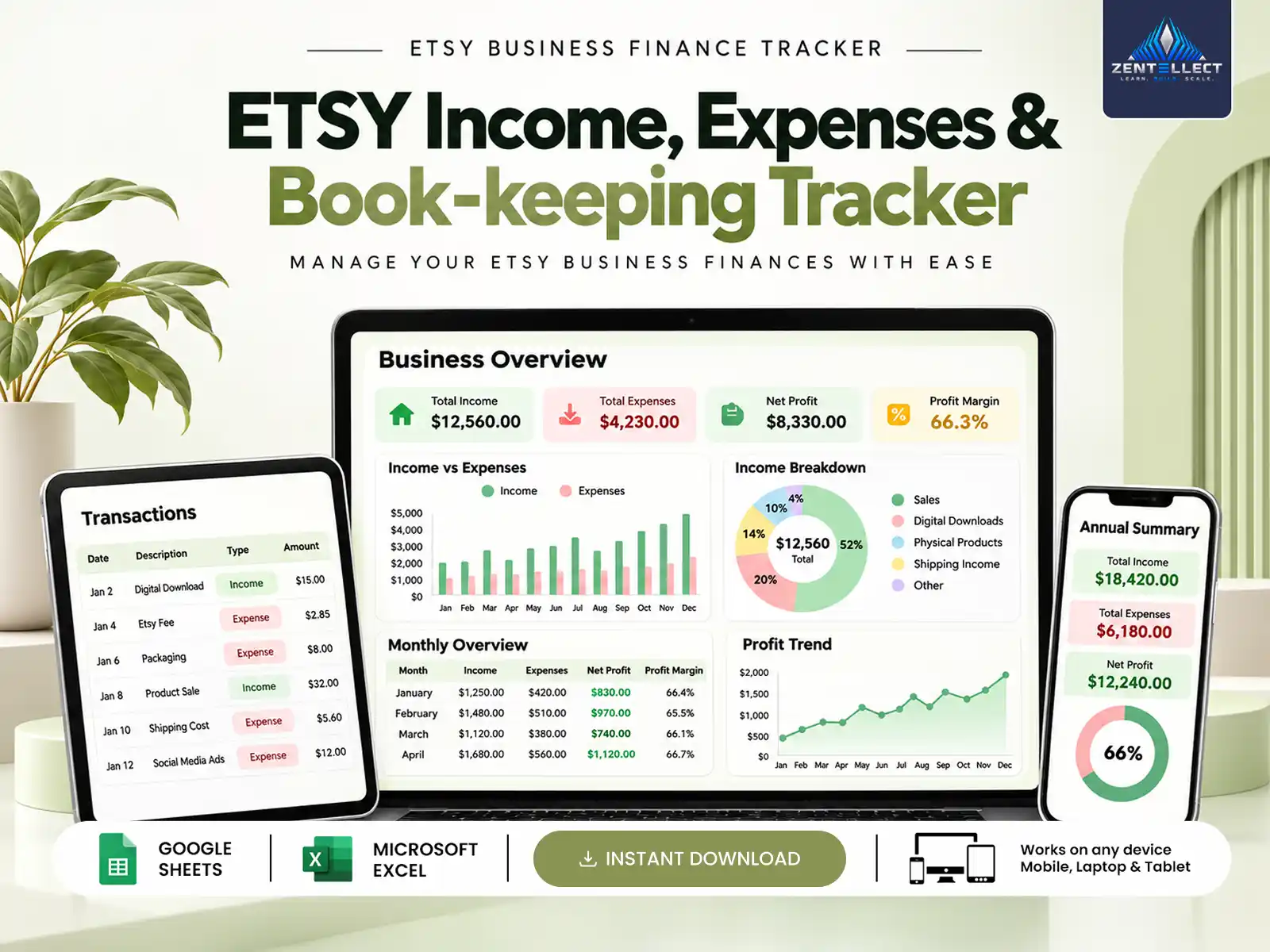


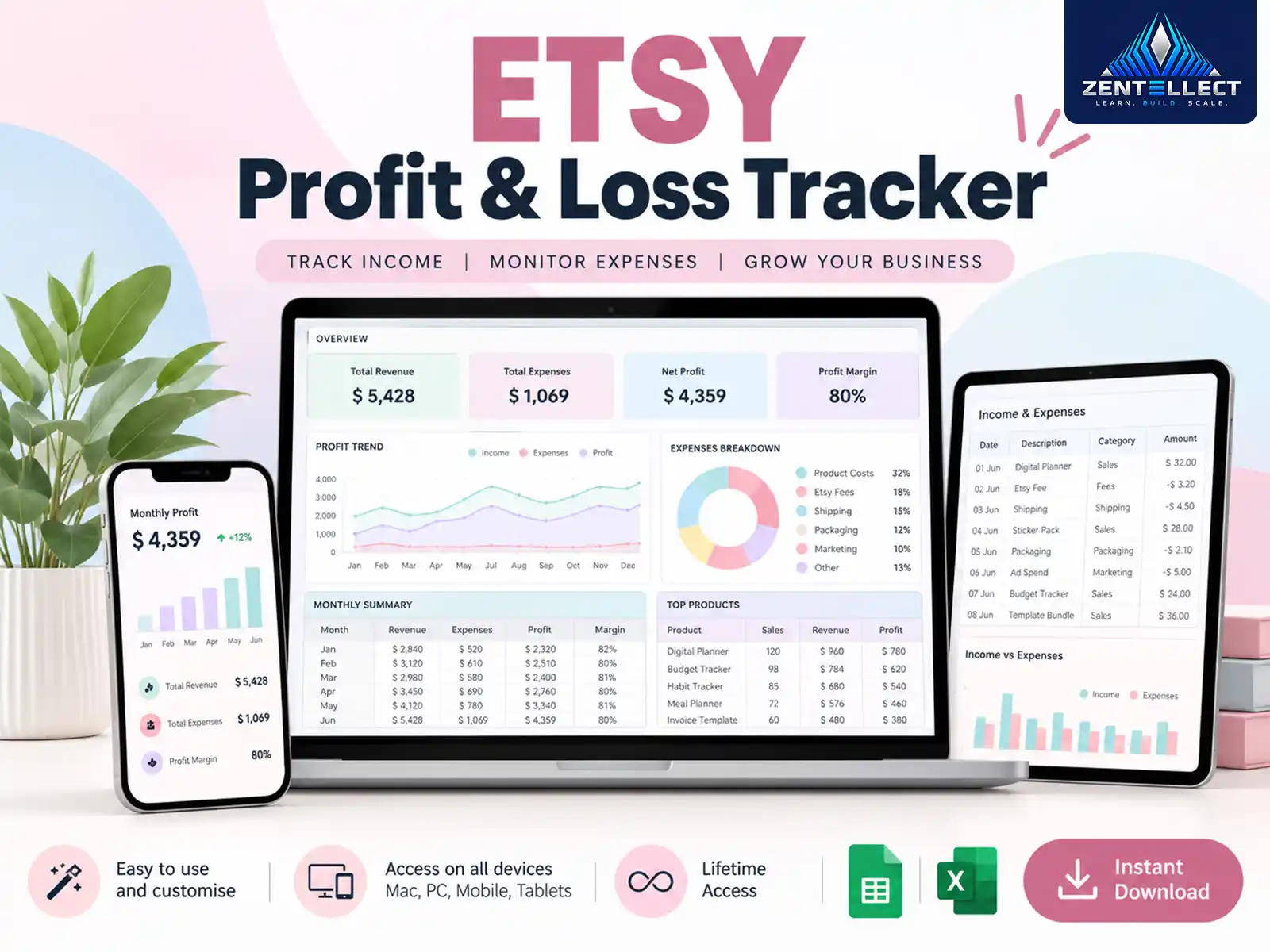
ETSY Profit & Loss Tracker
₹1,000.00 ₹499.00
Frequently Bought Together!
Product details
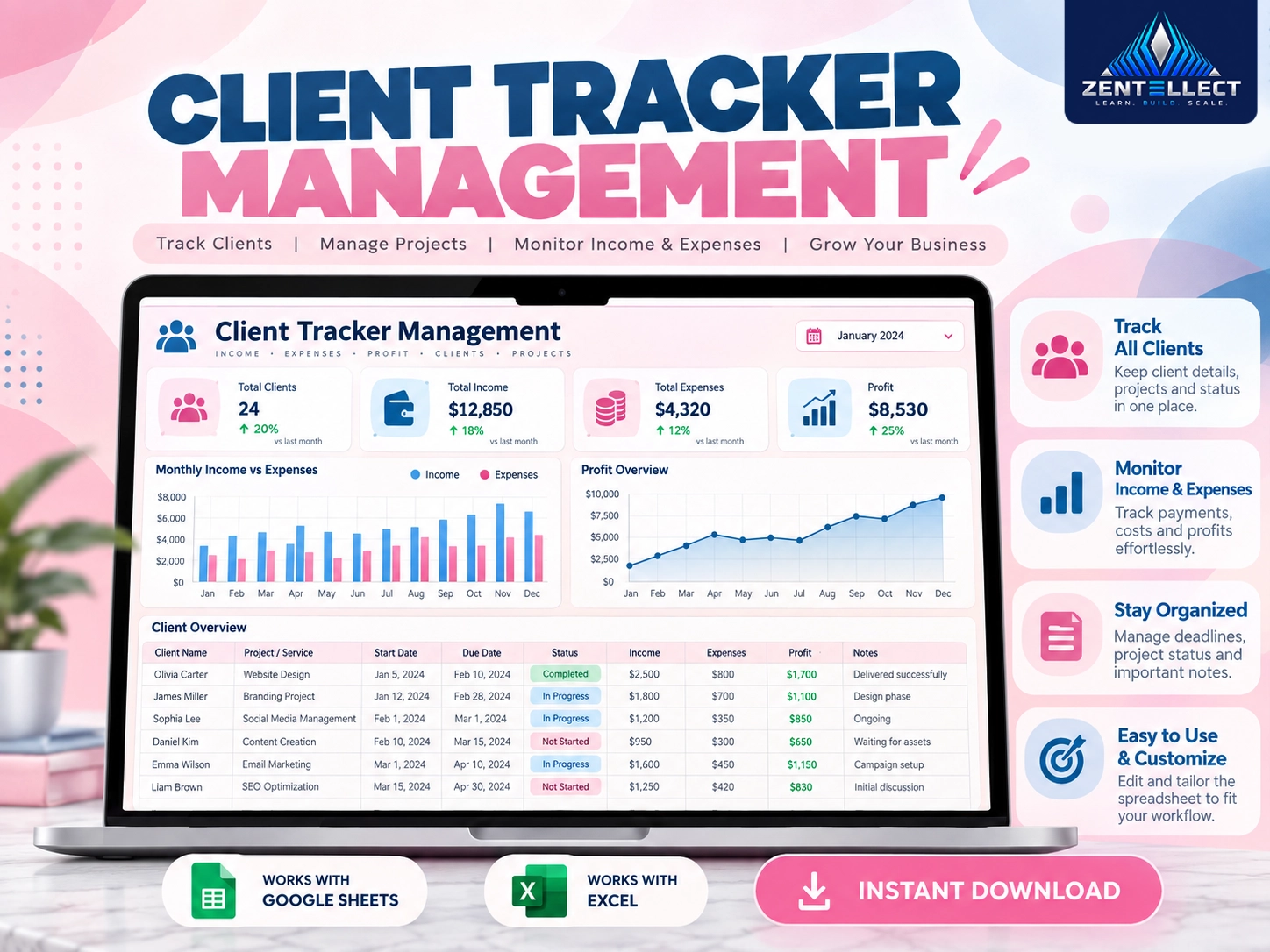
Track Every Sale. Know Your Profit. Grow Your Etsy Business. 💰 Turn your Etsy sales into smarter business decisions with the Etsy Profit & Loss Tracker — your all-in-one financial spreadsheet designed to help you monitor revenue, track expenses, calculate profits, and understand your shop's financial performance. From Etsy fees and product costs to advertising, shipping, and operating expenses, keep your business finances organized and discover how much you're actually earning. Less Number Crunching. Clearer Profit Insights. Smarter Business Growth. Get Your Etsy Profit & Loss Tracker Today — Know Your Numbers & Grow With Confidence!
More Than Sales. Know Your Numbers. Understand Your Real Profit.
Your Etsy shop might be generating sales — but do you know how much profit you're actually making?
Between Etsy transaction fees, listing charges, advertising costs, product materials, shipping, refunds, and everyday business expenses, your real earnings can be difficult to calculate.
It's time to see the bigger financial picture.
Introducing the Etsy Profit & Loss Tracker — a smart, easy-to-use financial management spreadsheet designed to help Etsy sellers organize income, monitor expenses, calculate profitability, and make better-informed business decisions.
Whether you're selling handmade products, digital downloads, printables, templates, or print-on-demand products, this tracker helps you understand the numbers behind your business.
Keep your financial information organized, identify costs affecting your earnings, and gain a clearer view of your shop's profitability.
More Financial Clarity. Better Business Decisions. Greater Control Over Your Profits.
KEY BENEFITS — WHY YOU'LL LOVE IT
✔ Know Your Actual Etsy Profit — Understand how much your shop earns after accounting for product costs, Etsy fees, marketing expenses, and other operating costs.
✔ Track Sales & Revenue Effortlessly — Keep your Etsy sales income organized and monitor how your revenue changes over time.
✔ Stay on Top of Etsy Seller Fees — Record listing fees, transaction charges, payment processing fees, advertising costs, and other applicable Etsy expenses.
✔ Monitor Business Expenses — Organize product materials, shipping, packaging, software subscriptions, marketing, and operating costs.
✔ Understand Your Profit Margins — Evaluate how much profit remains from your revenue after business expenses.
✔ Compare Monthly & Annual Performance — Identify profitable months, seasonal trends, and changes in your shop's financial performance.
✔ Identify Opportunities to Improve Profitability — Discover which expenses have the greatest impact on earnings and where you may be able to reduce costs.
✔ Simplify Financial Reporting — Keep income and expense information organized for easier bookkeeping, business reviews, and tax preparation.
✔ Make Smarter Pricing Decisions — Use your cost and profit information to evaluate product pricing and business sustainability.
✔ Spend Less Time Calculating Profits — Follow a structured financial tracking process instead of relying on scattered notes and manual calculations.
WHAT'S INCLUDED — YOUR COMPLETE ETSY PROFIT & LOSS SYSTEM
1. Etsy Profit & Loss Dashboard
Get a clear financial overview of your Etsy business, including sales revenue, expenses, and net profit.
2. Sales & Revenue Tracker
Record income from Etsy orders, digital product sales, handmade products, and other shop revenue.
3. Etsy Fees Tracker
Organize applicable platform charges, including listing fees, transaction fees, payment processing costs, and advertising fees.
4. Product Cost & Cost of Goods Sold Tracker
Track direct product-related costs, such as materials, production, packaging, and other applicable costs of goods sold.
5. Business Expense Tracker
Record operating expenses, including software subscriptions, marketing, supplies, shipping, and other business costs.
6. Monthly Profit & Loss Statement
Review your monthly revenue, direct costs, operating expenses, and net profit to understand your financial results.
7. Annual Profit & Loss Summary
Evaluate your yearly financial performance and identify revenue, expense, and profitability trends.
8. Profit Margin Calculator
Calculate profitability ratios to understand how efficiently your Etsy shop converts revenue into profit.
9. Budget vs. Actual Expense Tracker
Compare planned business expenses against actual spending to improve cost control.
10. Financial Performance Review
Review your shop's financial results, identify improvement opportunities, and plan smarter business decisions.
UNDERSTAND YOUR ETSY PROFIT & LOSS
High Sales Don't Always Mean High Profits.
Understanding your Etsy shop's financial performance starts with knowing the difference between revenue, direct costs, operating expenses, and net profit.
Example: Monthly Etsy Profit & Loss
| Financial CategoryAmount | |
| Total Sales Revenue | ₹1,00,000 |
| Product & Production Costs | ₹20,000 |
| Gross Profit | ₹80,000 |
| Etsy & Payment Processing Fees | ₹12,000 |
| Shipping & Packaging Expenses | ₹8,000 |
| Marketing & Advertising | ₹5,000 |
| Other Operating Expenses | ₹5,000 |
| Net Profit | ₹50,000 |
| Net Profit Margin | 50% |
The Result?
You can see not just how much your Etsy shop sells, but how much it earns after expenses.
With clearer financial information, you can evaluate product pricing, manage operating costs, and make more informed decisions about your business.
This is an illustrative example, not a representation of typical Etsy seller earnings. Actual financial results and expense classifications vary by business.
WHO IS THIS PROFIT & LOSS TRACKER FOR?
✔ Etsy Shop Owners — Understand revenue, expenses, and overall business profitability.
✔ Digital Product Sellers — Track earnings and costs from selling templates, printables, spreadsheets, planners, and other digital downloads.
✔ Handmade Business Owners — Monitor material costs, production expenses, and product profitability.
✔ Print-on-Demand Sellers — Organize supplier costs, Etsy fees, and marketing expenses.
✔ Small Business Entrepreneurs — Maintain structured profit and loss records for better financial decisions.
✔ New Etsy Sellers — Develop a clear understanding of shop finances from the beginning.
✔ Established Etsy Businesses — Monitor financial performance as revenue and operating expenses grow.
✔ Creative Entrepreneurs & Side Hustlers — Simplify financial tracking and spend more time developing products.
HOW IT WORKS — 3 SIMPLE STEPS
Step 1 — Record Your Etsy Revenue
Enter your sales income, refunds, and other relevant revenue information.
Step 2 — Track Business Costs & Expenses
Record Etsy fees, product costs, advertising, shipping, packaging, and other operating expenses.
Step 3 — Review Your Profit & Loss
Use your financial records to calculate gross profit, net profit, and profit margins, then review performance over time.
Update your information regularly to maintain an accurate view of your Etsy business finances.
WHY EVERY ETSY SELLER SHOULD TRACK PROFIT & LOSS
Revenue Isn't the Same as Profit
A shop can generate strong sales while earning relatively little after fees and expenses. Profit and loss tracking helps reveal the difference.
Understand Your Business Costs
Identify how much you spend on products, fulfillment, marketing, platform fees, and everyday operations.
Improve Your Pricing Strategy
Use financial information to evaluate whether your product prices adequately cover costs and support your profit goals.
Plan for Sustainable Growth
Monitor profitability before increasing advertising budgets, launching new products, or expanding operations.
Simplify Bookkeeping & Financial Reviews
Maintain organized financial records that support business planning and easier discussions with your accountant.
FREQUENTLY ASKED QUESTIONS
What is an Etsy Profit & Loss Tracker?
An Etsy Profit & Loss Tracker is a financial spreadsheet that helps sellers organize revenue, direct costs, operating expenses, and profit.
Can I track Etsy fees and advertising expenses?
Yes. These can be recorded as expense categories. Automatic fee calculations, if any, depend on the spreadsheet's actual features.
Is this suitable for digital product sellers?
Yes. It can be used to track revenue and expenses associated with selling digital downloads, planners, templates, printables, and other digital products.
What's the difference between revenue and net profit?
Revenue represents income from sales before expenses. Net profit is the amount remaining after deducting applicable business costs and expenses.
Can this tracker help with tax preparation?
Organized profit and loss records can support tax preparation, but they do not replace professional accounting advice or tax filing software.
Does the tracker automatically connect to Etsy?
Automatic synchronization is available only if the product includes a supported Etsy integration. Otherwise, financial information must be entered or imported manually.
Can beginners use this tracker?
Yes. The underlying process is straightforward: record sales, enter costs, categorize expenses, and review your profit and loss results.
STOP GUESSING YOUR ETSY PROFITS — START UNDERSTANDING THEM!
Your Etsy shop deserves more than sales numbers alone.
Know what's coming in, understand what's going out, and see how much your business actually earns.
With the Etsy Profit & Loss Tracker, you can organize your finances, identify opportunities to improve profitability, and make more confident decisions about your shop's future.
Every Sale Matters. Every Expense Counts. Every Profit Tells a Story.
Get Your Etsy Profit & Loss Tracker Today — Track Smarter, Understand Your Earnings & Grow With Confidence! 💰
Premium templates
Why Choose Our Templates
Smart Automation
Templates calculate everything automatically once you enter your numbers.
Beginner-Friendly
Step-by-step instructions and clear layouts make everything easy to follow.
Instant Setup
Plug in your data and start using the templates within minutes.
Lifetime Access
Enjoy free updates and improvements for your templates forever.
Simple process
Here’s How It Works
From checkout to organized — three quick steps and you are ready to go.
Purchase
Once your payment is cleared, your files will be instantly available for download.
Download
For Google Sheets, open the PDF and click the link to make your own copy. For Excel, open the file directly.
Start Using
Follow the simple instructions to set up, personalize, and begin organizing in just minutes.